
Simplicity is Unforgiving, Accessibility Also Matters
A Tale of Terminal Emulators, Neovim, and The Letter 'd'.
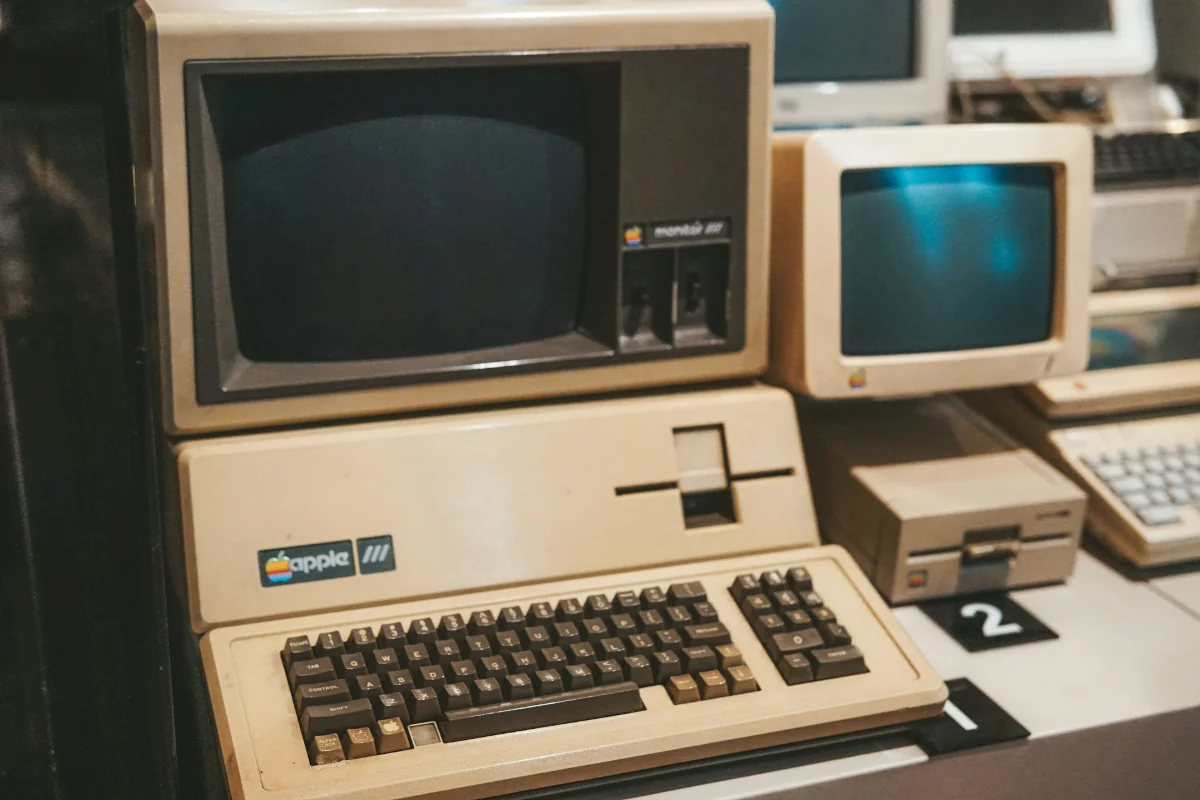
On the First Day, There Were VT100 Terminals
On Simplicity
The UNIX sages of lore said it first and said it best, “Do one thing and do it well.” There was a time long before this became the mantra of wizened sysadmins and software developers, preaching suckless software and leading the crusade against feature creep, enshittification, and thousands of configuration options and moving parts you’ll probably never use when you’re just trying to get
One. Thing. Done.
That time, my friends, was 1978. Computers were so new that the main focus of any systems or hardware engineer was just to get the damn thing to work at all. Of course, simplicity was still a vital component of their workflows. When 2MB of addressable memory space and a 16-bit 3.3MHz processor is considered high-performance computing, you cannot afford to abstract your programs beyond bit-level control of hardware I/O and direct manipulation of registers. These are the specs for the PDP-11/70, an extremely popular computer around the time of the VT100 terminal, one of the most important devices in computing history.
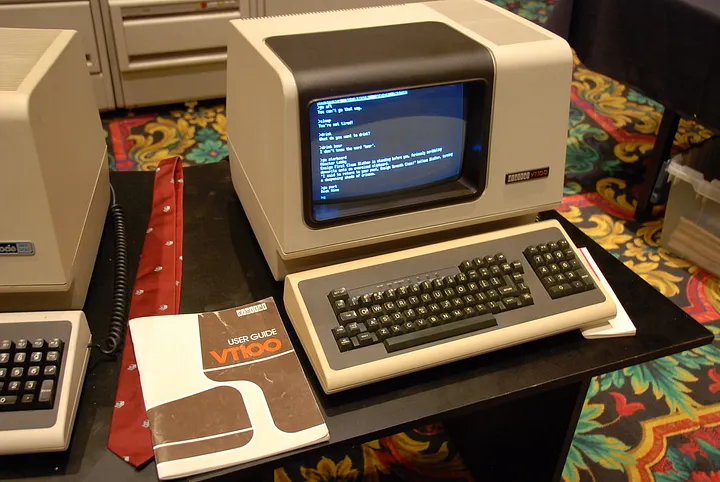
The VT100 terminal released by the Digital Equipment Corporation (DEC) in 1978 was not the first raster-based video terminal (a.k.a. display terminal, glass terminal). That honor belongs to the IBM-2260 14 years prior. Nor was it the first terminal to contain a microprocessor (smart terminals, as opposed to dumb terminals which directly controlled logic gates for serial communication and text display, and not much else). That was the HP 2640A in 1974 using an Intel 8008 microprocessor.
Standards Compliance is Based, Actually?
It is, however, the video terminal that every terminal emulator today must, well… emulate. In a landmark decision to make vendor lock-in really fucking hard for companies selling $3000 screens to go with their $20000 computers, the American National Standards Institute (ANSI), specifically the Accredited Standards Committee X3 for Information Processing (ASC X3) released the ANSI X3.64 standards in 1979, known as ECMA-48 internationally. This was a political move by ANSI bought and paid for by Big Acronym to sell more acronyms, or whatever.
ANSI X3.64 standardized control sequences for video terminals, used for things like cursor movement, text formatting, scrolling windows, and the like. DEC did not create this standard, but they were a major player in ANSI and were among the 18 corporations, 19 consumer groups, and 16 trade association groups who developed and approved the standard. You can thank them for the ability to clear your screen, move your cursor from left to right, and display characters consistently across any terminal that adheres to these standards.
So what made the VT100 the granddaddy of all modern day terminal emulators? They were the first to release a commercially successful product that adheres to the X3.64 standards. ANSI’s crusade against vendor lock-in worked, but not quite as intended. The VT100 was designed around a draft specification released a year prior to the finalized standard and added some of its own escape sequences like DEC Private Mode (a later model also introduced Sixel graphics). When it became the most popular terminal in the world shortly after its launch, other terminals started emulating these proprietary VT100 escape sequences in the name of software interoperability. VT100 compatibility, and later VT220 compatibility, became the gold standard even over ANSI compliance. Julia Evans did a great writeup on escape sequences here if you want to get deep in the technical weeds.
On the Second Day, There Was Xterm
Abandon All Hope, Ye Who Enter Here
If the VT100 is the granddaddy of terminal emulation, then Xterm is the father with a busy corporate job in a loveless marriage and no time to bond with his kids. As Xterm’s README from 1989 humorously points out, it’s an entangled mess of legacy systems.
Abandon All Hope, Ye Who Enter Here
This is undoubtedly the most ugly program in the distribution. It was one of the first “serious” programs ported, and still has a lot of historical baggage. Ideally, there would be a general tty widget and then vt102 and tek4014 subwidgets so that they could be used in other programs. We are trying to clean things up as we go, but there is still a lot of work to do.
How Xterm Shaped Modern Terminal Emulators
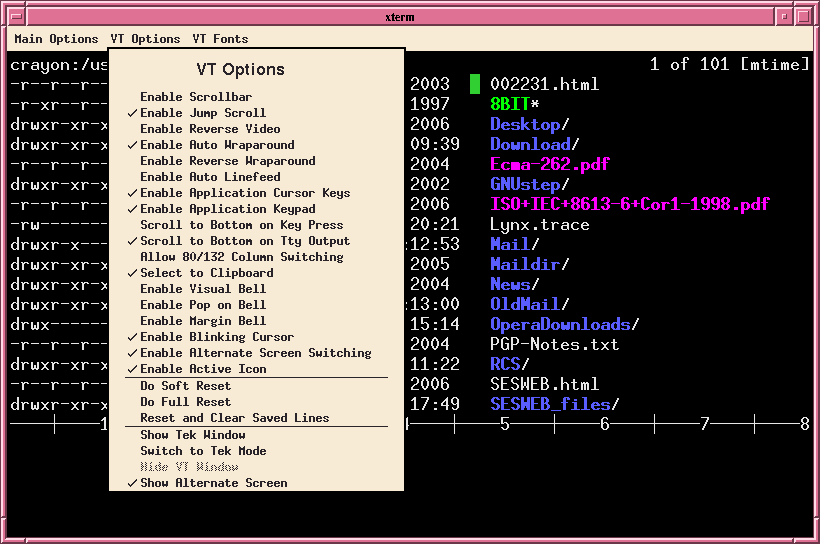
Xterm is a software terminal emulator originally written in 1984 for the VAXStation 100 (VS100) and ported to X11 in 1987 as part of Project Athena at MIT. Xterm is still installed by default in some distros, and is widely available in most Linux and BSD package managers.
It is highly efficient as well, consuming as little as ~9MB to spawn a window depending on your environment. For comparison on my system, st with no patches takes ~13MB, st with patches takes ~21MB, and alacritty takes ~185MB, all running zsh.
Shipping in the X Window System meant that Xterm quickly became the de facto terminal emulator on most commercial and free UNIX systems of the day. Since Xterm emulated the control sequences of the VT100 and many control sequences from the VT220 and later models, lots of old software that relied on these escape sequences expect TERM=xterm-256color to be set in your shell. This includes some of the most foundational programs in computing history, including but not limited to:
- vim
- neovim
- tmux
- fzf
- bash
- anything built on ncurses
They will probably still work without setting this environment variable, but may fallback to 8-bit mode, break your keybinds, color schemes, mouse inputs, or in rare cases where even TERM=vt100 isn’t available, will just fail to start.
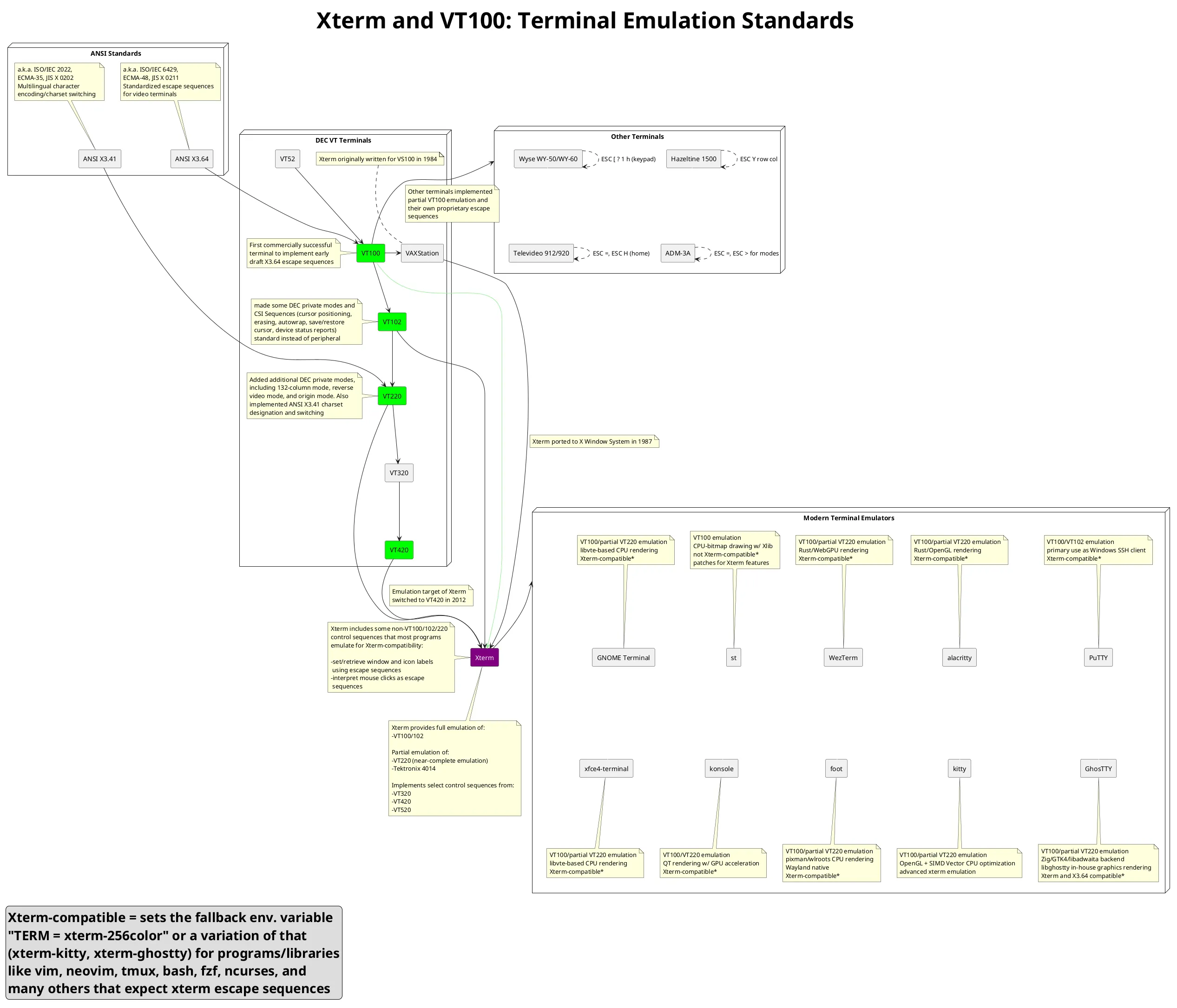
Modern terminal emulators may define their own TERM values and implement features beyond those supported by Xterm. However, nearly all support fallback behavior for compatibility with essential tools that expect Xterm escape sequences. The historical influences of ANSI standards, video terminals, and Xterm on today’s terminal emulators are quite complex, so I made a diagram to clearly outline these relationships.
On the Third Day, There Was Suckless Software
Simple Software Sucks Less
I’m a big fan of suckless software from a security perspective. If your program has fewer features built with fewer lines of code, your attack surface is reduced by default. Simple as that. However, convenience is often the price you pay for simplicity.
I’ve been using vanilla dwm about as long as I’ve been on Linux. It’s easily one of my top three pieces of software — maybe even my favorite outright. I switched from Windows to Linux for three main reasons:
- A minimalist, distraction-free desktop
- A massive FOSS ecosystem/mature dev tools
- A desire (nay, a need) for system ownership and personal privacy
dwm absolutely fits the bill for all three (although #3 seems to be an unsolved problem, even in the most minimal Linux setups). There’s no notification daemon to take away my focus from important things. The code is heavily audited by expert C developers. It does the absolute minimum job of a window manager: manages your windows, then gets out of the way. The keybinds are smooth, configuration is as easy as changing options in config.h, and since embracing the CLI, I don’t miss messy desktops and start menus in the slightest.
Above all, it respects your time and agency by not vying for your attention, and not making promises it can’t fulfill. Surely Suckless’ other flagship products st and dmenu are just as good?
Oh st, How I Wish I Could Love You
Suckless’ terminal emulator st does one thing and does it well: emulates a terminal environment from which you can grep and awk to your heart’s content. However, that’s about the only feature on a vanilla st install. Here are just a few features that are available as patches, but aren’t part of the upstream build:
- alpha transparency
- scrollback buffer
- restoring window title to previous state (CSI 22 and 23 escape sequences)
- explicitly declaring fallback fonts
- consistent column redraw upon resizing terminal window
- Switching IMEs in a single session
- Displaying IME composition suggestions (i.e. zhong → 中, 重, 症, 终)
- ligatures
- numerous glyph/line rendering QoL features
I can’t deny that st has its use cases. If you’re running on a twenty-year-old potato with no GPU acceleration or you just want the lightest possible terminal for scripting, it’s hard to beat. If you don’t care about scrollback, ligatures, or IME support, st is lean, fast, and beautiful in its simplicity. And if you do care about those features? Well, you can always add patches.
Just don’t expect to add ALL of them, because patches that make significant changes to the rendering logic of st like scrollback and ligatures will cause many other patches to fail. Now you’ve got rejected hunks and a merge conflict that spans 2,000 lines of manual layout code. At that point, your options are:
(a) compare diffs line by line and rewrite st yourself, or
(b) salt the fields and switch to a terminal that comes with sane defaults out of the box.
Hi, This Part is About Me Now
Am I a 10x Developer Yet?
This brings us full circle to three days ago, when I was setting up a staging environment on an SBC running OpenBSD to test and configure my web server and website backend. I didn’t want to have to write scripts and mess with config on my host machine and then rsync or git pull every time I wanted to test a change. I’d much prefer to SSH in and do development and testing all on the same machine.
This is where my decision to keep things minimal first bit me in the ass. I typically use VSCodium as my main code editor, but I’ll be administering my server headless, which means no need for Xorg. No GUI? No VSCodium. I’ve been putting Neovim on the back burner because I already had an IDE that worked and that I enjoyed using, but now seemed like as good a time as any to try it out. I pulled up ThePrimeagen’s Neovim config guide and got to work.
So far so good. Except, what is that? I know I typed “cmd”, so why does it look like “cma”?
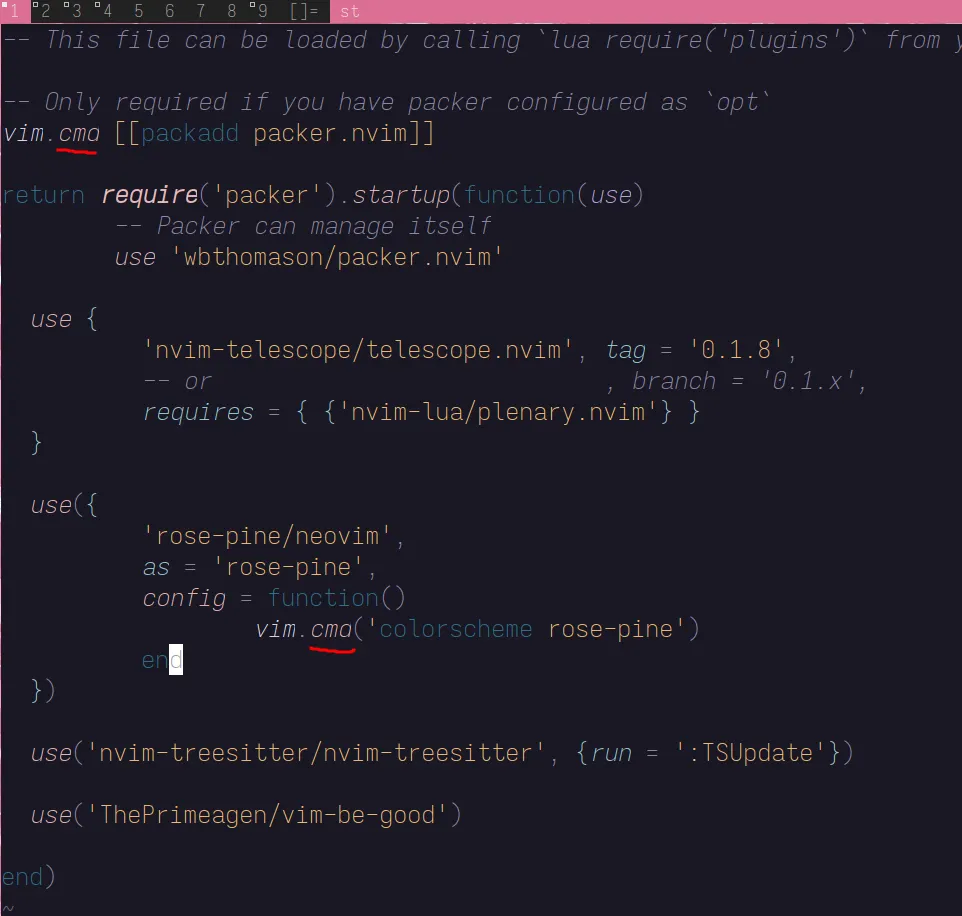
Weird. My first thought was that maybe the font I’m using in my terminal is rendering italic ‘d’s incorrectly. I applied the font2 patch for st so I could set a fallback font, and then tried to force fontconfig to use that font ONLY for italic characters. About 10 poorly written XML config files later, I threw in the towel. I should have known better than to mess with Xorg libraries, that was my fault.
Okay, I guess I’ll go back to Liberation Mono, the default font that st was built with, and would you look at that! The glyph is still overdrawn and not rendering correctly. I’m nearing my wits end, and I’m getting tired. Tomorrow will bear better results.
It’s Not a Bug, It’s a Feature
The next day, exhausted from fighting a battle that never should have taken place, I take a long, hard look at Neovim.
It’s not just the ‘d’.
This glyph rendering bug is affecting quite a few italic characters actually. I start to think that maybe it’s not my fonts that are a problem, and decide to test this out in my terminal window.
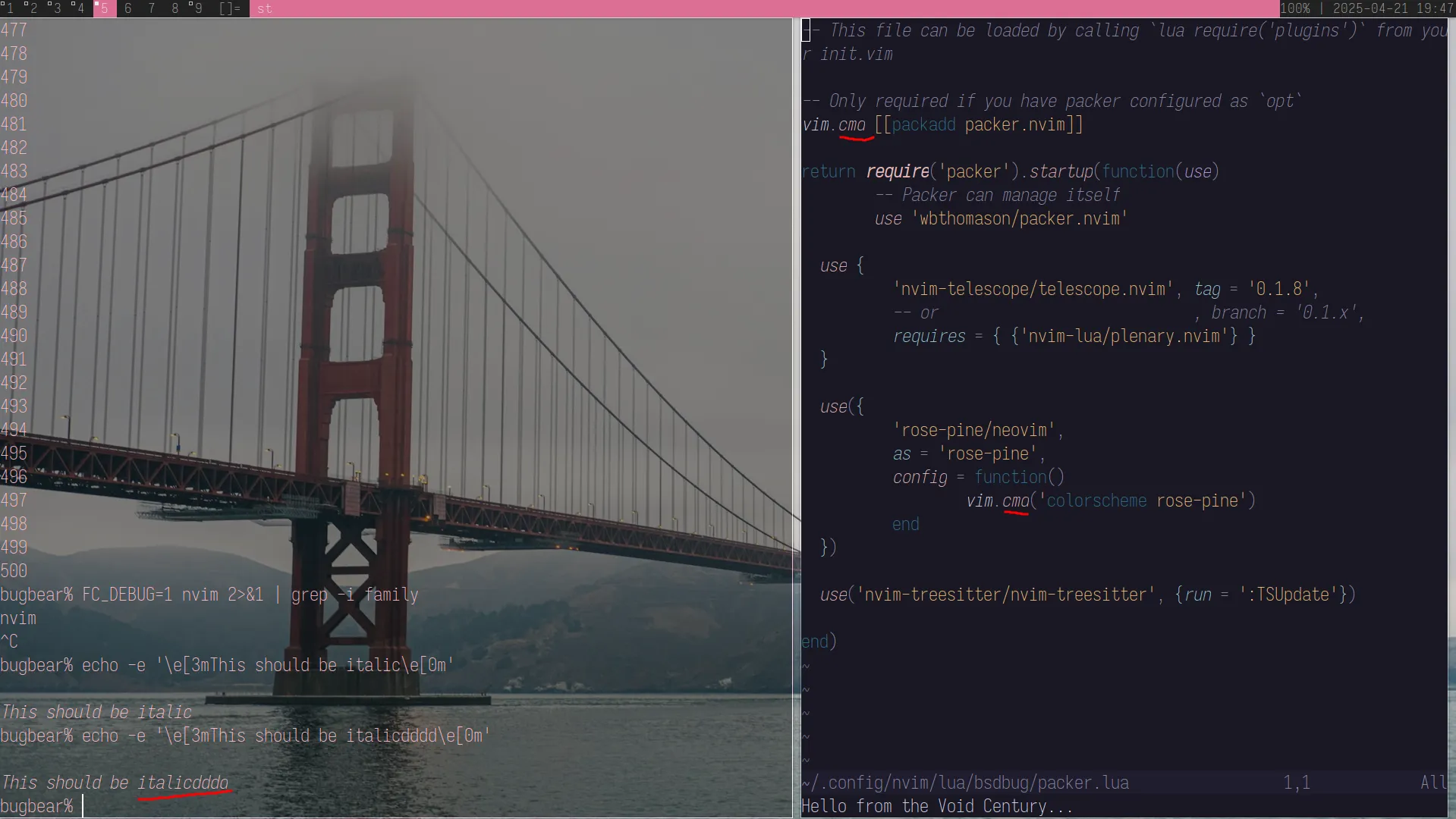
Yeah, so it’s actually st's fault. It turns out that upstream st truncates glyphs that extend past their cell, and since italic characters are slanted, they ever so slightly extend into the next character’s cell. But hey, there’s a patch to fix that, so let’s apply it.
Aaaand the patch failed.
I took a look at the rejected hunk from x.c to see what the problem is:
I had a patch fail the other day to add ligature support to st. I backed up my config.def.h and st.c but neglected to back up x.c, which meant my x.c still had leftover changes — enough to confuse the patch tool, but not enough to fully implement the ligature patch either. When I tried applying the wide glyph support patch, it couldn't find the exact code patterns it was expecting. It wasn't that the patch itself was broken, but that my x.c was in a weird half-patched state.
Some may call this a skill issue, and I would be inclined to agree. I probably could have applied the patch if I had a backup x.c to revert back to, but these are solved problems in other terminal emulators, and I was tired of slowly adding back features that I was accustomed to. Do I really need to patch in the ability to scroll in my terminal window? Maybe one day I’ll go back, but for now, I want something that just works.
I’m using alacritty now, which implements in the upstream build every single one of the features I listed earlier that st requires patches for. It could do better on IME support though. It’s also one of the most minimal terminal emulators out there, relying on CPU rendering with OpenGL-based GPU acceleration, avoiding systemd dependencies, and doing not much else except emulating the proper escape sequences and some much needed quality of life improvements. Did I mention it’s written in Rust?
Final Thoughts
Modern software developers can learn a thing or two from the VT100. Sure, its limited feature set was a product of its time, but it didn’t need more. After all, most modern terminal emulators are still emulating the same escape sequences nearly 50 years later. How much better could our user experience be if rather than shipping as many features as possible, we shipped the minimum viable product, with just enough polish to be simple, intuitive, and amazing?
Tl;dr just use the software that lets you get shit done. Bug out.